Set up the ride
Name it, pick a date, drop your stops on the map — meetup point, fuel halt, viewpoint. Open to nearby riders or link-only.
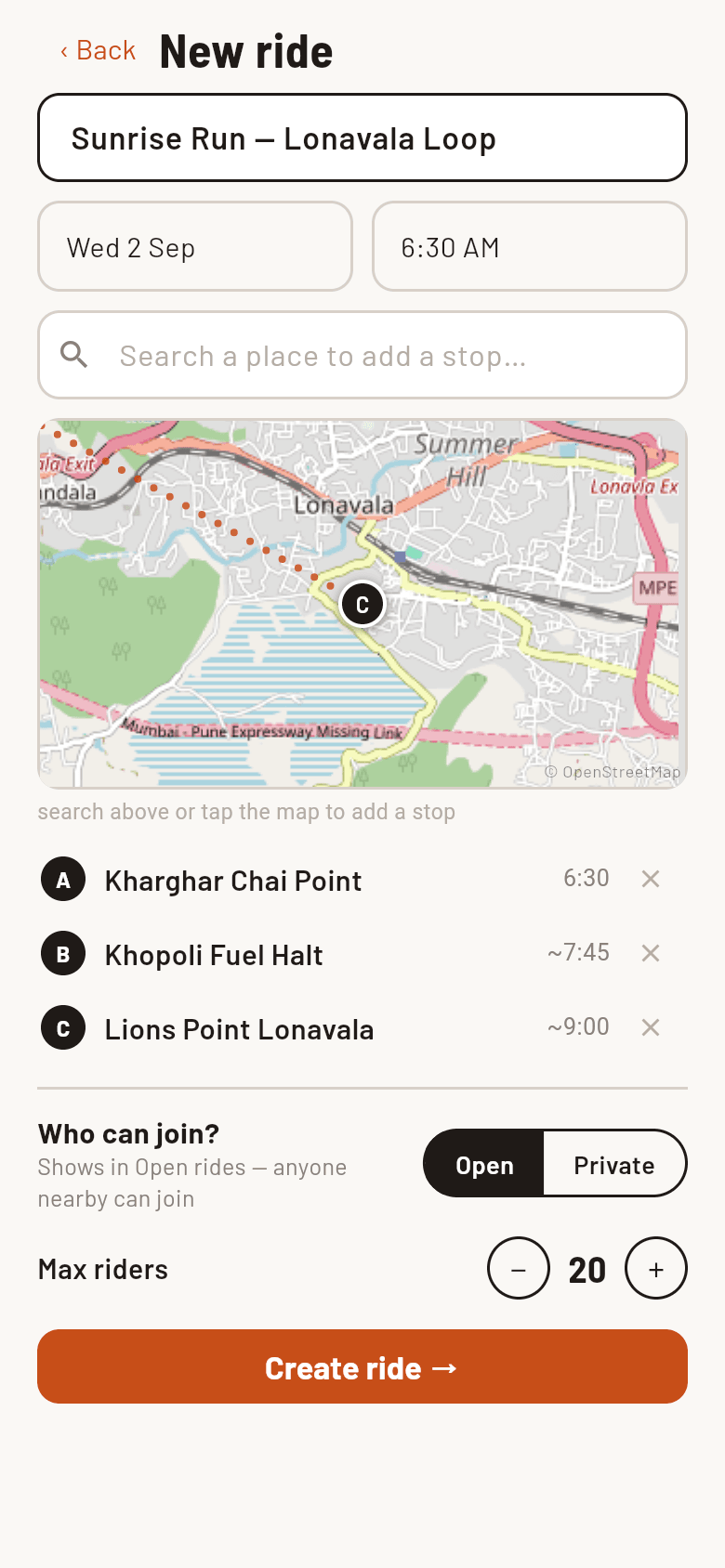
the New Ride screen
Your riding buddies don't install anything. They tap your link, type their name, and they're on the ride — with live check-ins at every stop on ride day.
Free · works in any browser · fulltank.in/r/your-ride
How a ride happens
Real screens from the app — this is the whole thing. About 60 seconds to set up, zero installs needed by your riders.
Name it, pick a date, drop your stops on the map — meetup point, fuel halt, viewpoint. Open to nearby riders or link-only.
the New Ride screen
One tap sends a formatted invite to your WhatsApp group — route, distance, meet time, and the link. That's the whole invite.
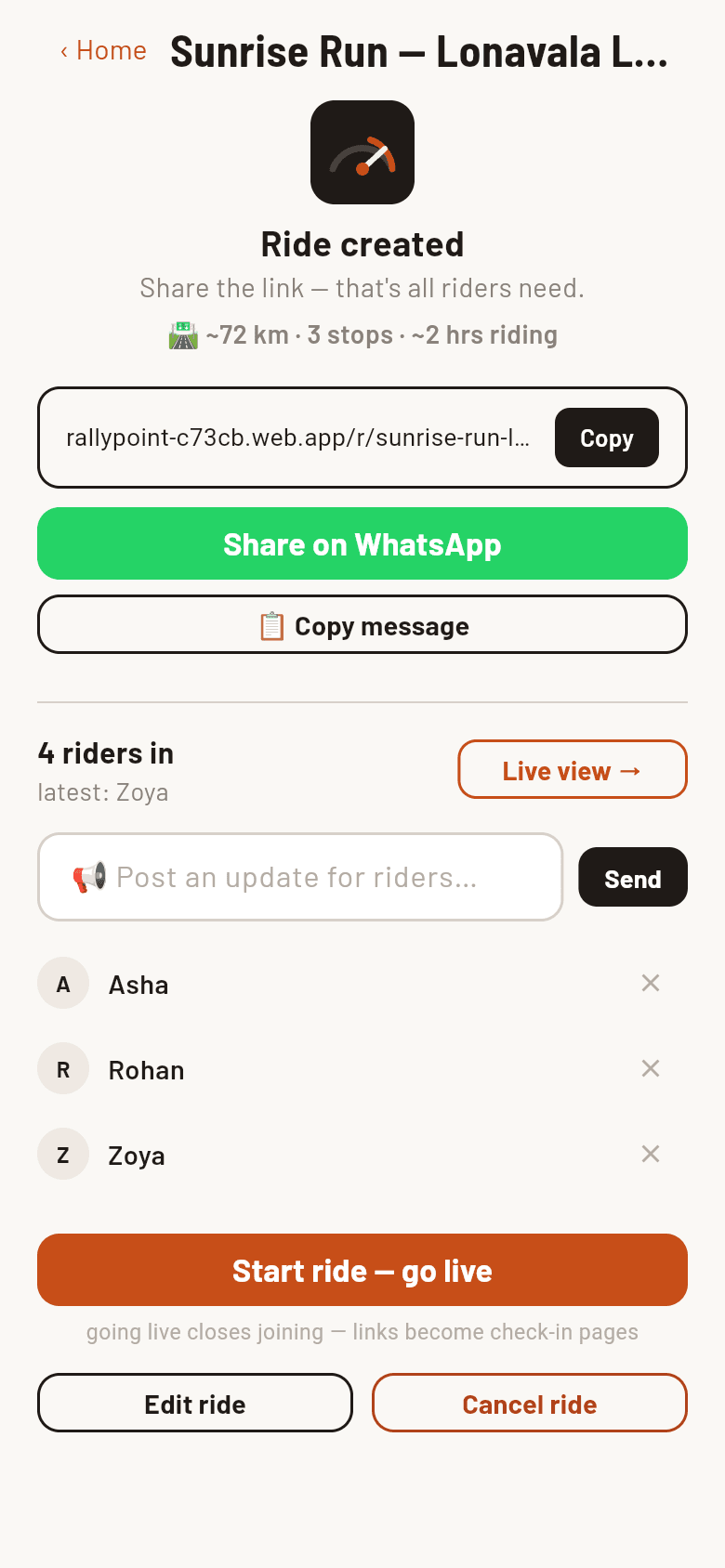
ride created — share & manage
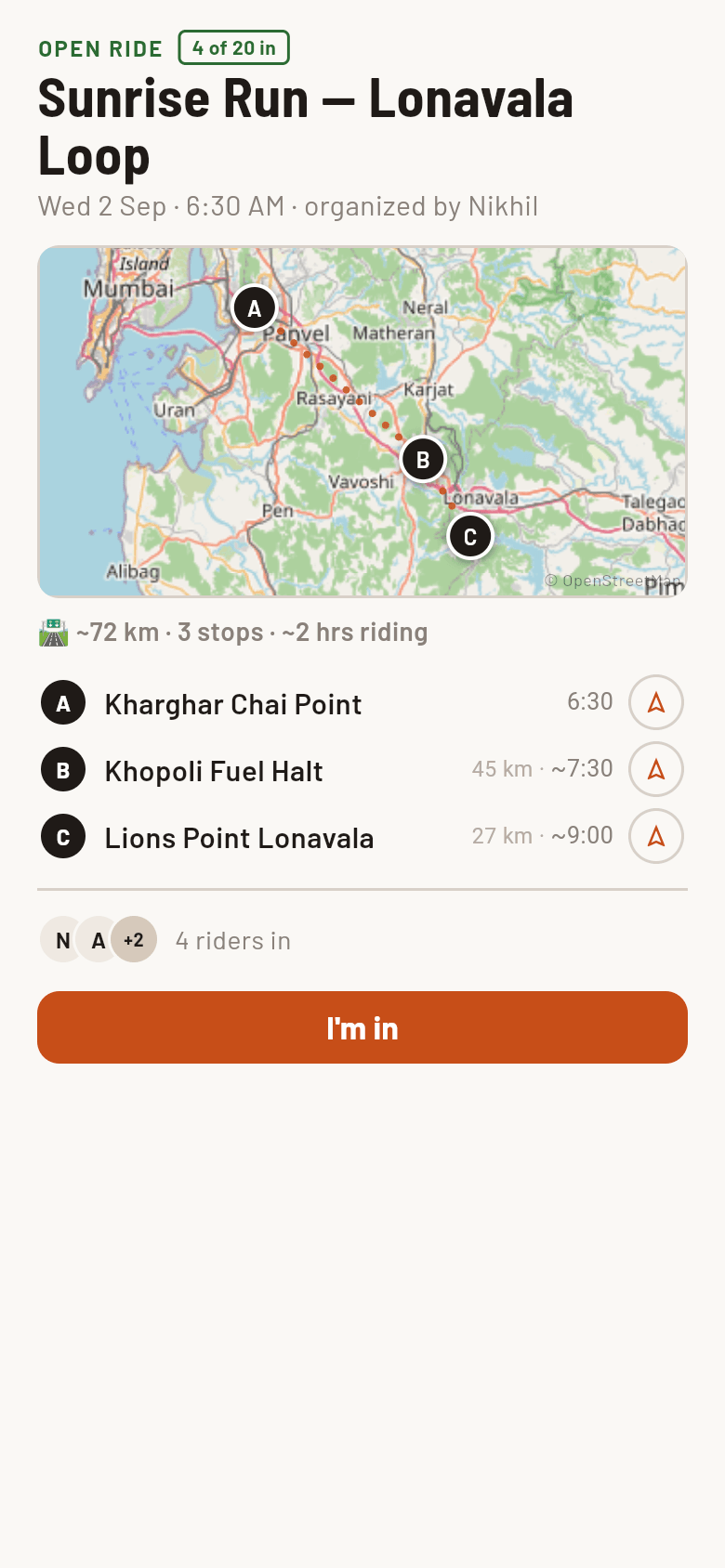
No download, no sign-up. The link opens the route, they type a name, and they're counted. You see who's in as it happens.
what riders see — no app
Go live and every link becomes a check-in page. You watch per-stop counts fill in — who's here, who's still on the way.
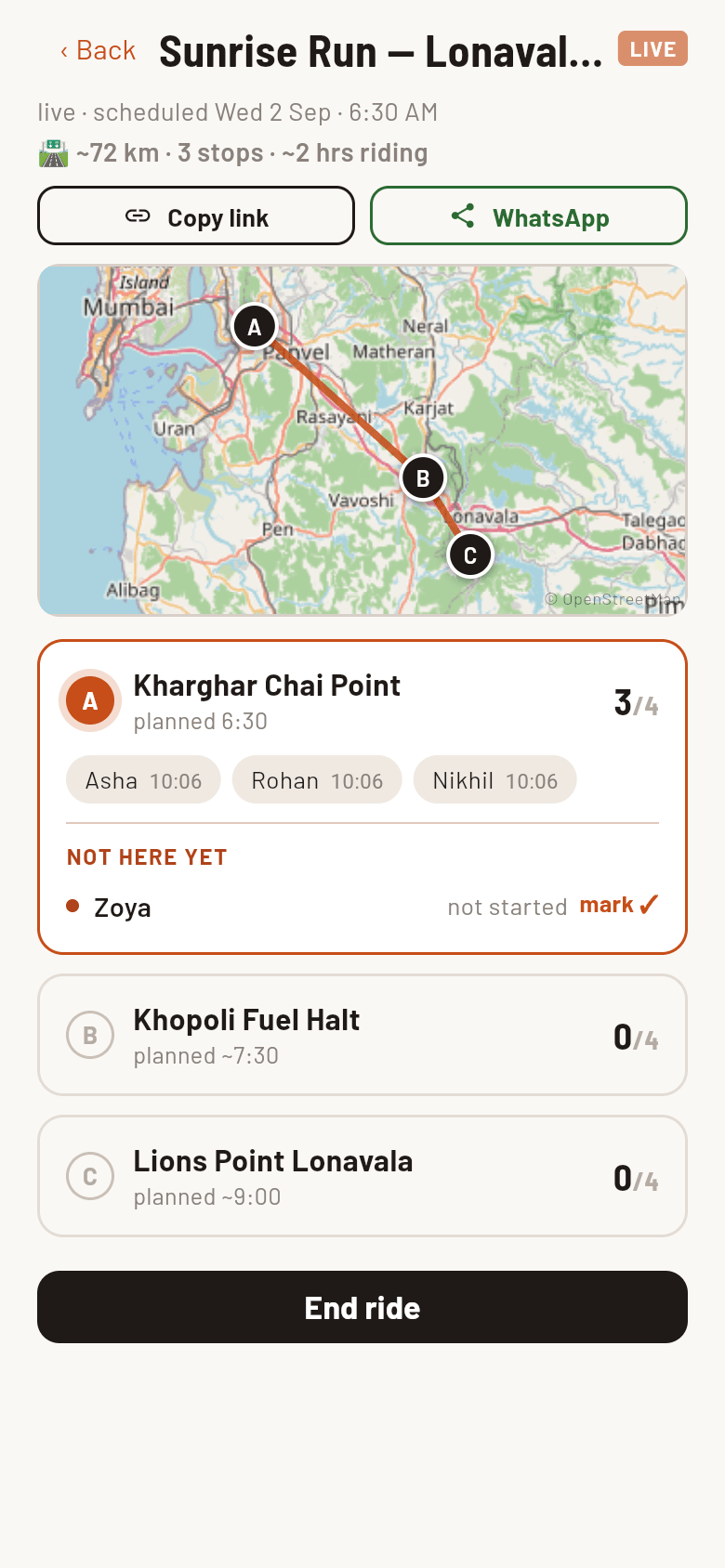
the organizer live view
Share in seconds
Fulltank writes the message for you — route, distance, meet time — and the link unfurls into a proper ride card. Your group chat does the rest.
Sunday Riders · WhatsApp
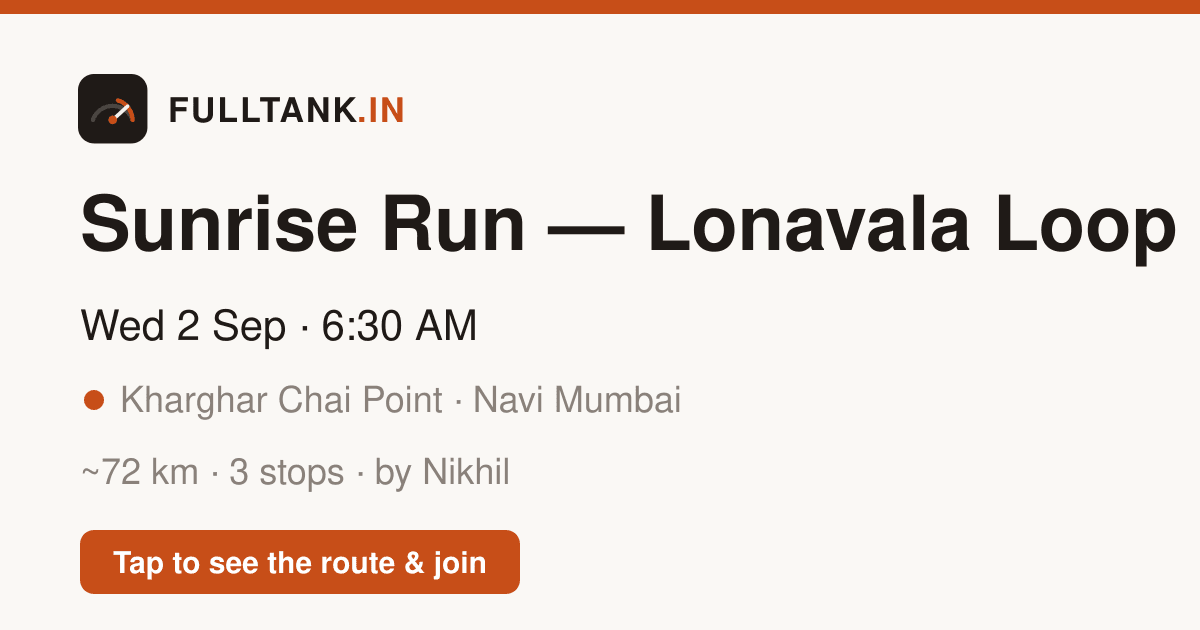
🏍 Sunrise Run — Lonavala Loop 📅 Wed 2 Sep · meet by 6:30 AM 📍 Kharghar Chai Point 🛣 ~72 km · 3 stops Route A. Kharghar Chai Point · 6:30 B. Khopoli Fuel Halt · ~7:30 · 45 km C. Lions Point Lonavala · ~9:00 · 27 km by Nikhil · Navi Mumbai Tap to see the route & join 👇 fulltank.in/r/sunrise-run-lonavala-loop
Ride-day check-ins
When the ride goes live, every invite link turns into a check-in page. The group regroups at every stop — and nobody gets left at the fuel pump.
Roll within 150 m of a stop with the page open and you're checked in automatically. Gloves stay on.
No GPS? Tap “I've reached” on the ride link. The organizer can also mark anyone in — whatever's fastest at the chai stall.
Per-stop counts show who's here and who's still on the way — so the group never pulls out while someone's paying for fuel.
Kharghar Chai Point 3/4 reached Asha, Rohan & Nikhil are in · Zoya's still on the way